 Loading... Please wait...

Blog
Recent Posts
Why Professional Engineers Still Use the Arduino IDE in 2026
Posted by on
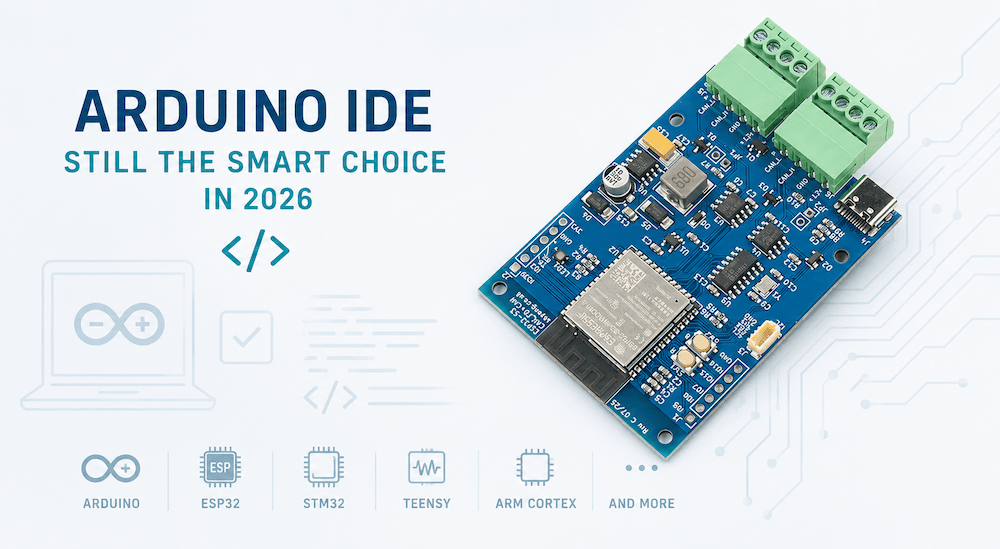 A recent Facebook comment caught my attention:
"Who's using Arduino IDE in 2026?"
At first, I dismissed it as another attempt to provoke a reaction. But the more I thought about it, the more I realized that it reflects a common misconception. Many engineers still associate the Arduino IDE exclusively with hobbyists building blinking LEDs and garage projects.
Nothing could be further from the truth.
The Arduino IDE has quietly become one of the most influential embedded development environments available today. While professional developers certainly have alternatives—and some projects demand them—the Arduino ecosystem has grown into an engineering platform that reaches an enormous community and supports an impressive range of professional hardware.
It Was Never About the Board
One of the biggest misunderstandings is assuming that Arduino equals Arduino hardware.
In reality, the Arduino IDE has become a universal development environment.
Today you can target platforms such as:
-
Arduino AVR boards
-
Arduino ARM-based boards
-
ESP32
-
Teensy
-
STM32
-
Raspberry Pi Pico
-
ARM Cortex-M microcontrollers
-
Numerous third-party CAN, Ethernet, Wi-Fi, and industrial controllers
For many embedded projects, changing hardware platforms is often little more than selecting another board definition and adapting the hardware-specific interface layer.
That portability is incredibly valuable.
A Massive Ecosystem
No embedded development environment can match the amount of publicly available code written for the Arduino ecosystem.
Need a CAN driver?
There are several.
Ethernet?
Multiple choices.
Modbus?
MQTT?
USB?
GPS?
SD cards?
Industrial sensors?
Someone has probably already solved part of your problem.
This doesn't mean blindly copying code from the Internet. Professional engineers still evaluate, optimize, and validate everything they use.
But having thousands of proven examples dramatically shortens development time.
Why reinvent a UART driver when thousands already exist?
The Fastest Path from Idea to Prototype
Every engineering project begins with one question:
Does the concept actually work?
The Arduino IDE answers that question faster than almost any other environment.
Within minutes you can:
-
install the IDE
-
select a board
-
install the required libraries
-
compile
-
upload
-
start testing
There is virtually no learning curve compared to many vendor-specific IDEs that require extensive project configuration before writing the first line of code.
Rapid prototyping is not a luxury.
It is often the difference between completing a project in weeks instead of months.
Professional Products Are Built This Way
There is another misconception worth addressing.
Many assume that serious commercial products cannot possibly be developed with the Arduino IDE.
Our own products prove otherwise.
The Copperhill JCOM1939 gateway family has been developed using the Arduino IDE while targeting multiple processor platforms. The firmware architecture deliberately separates hardware-specific code from application logic, making it straightforward to migrate the software between different microcontrollers.
The same application architecture can be adapted to:
-
Arduino platforms
-
ESP32
-
Teensy
-
STM32
-
ARM Cortex devices
-
and additional hardware with relatively minor effort
The development environment is simply a tool.
Customers care about reliability, functionality, and maintainability—not which IDE was used to build the firmware.
Reaching the Largest Community
From an educational standpoint, supporting the Arduino IDE is an easy decision.
If I publish example code in a vendor-specific IDE, I immediately limit the audience to owners of that particular hardware.
If I publish Arduino-compatible code, engineers can often run it on completely different hardware by making only small adjustments.
That dramatically increases the usefulness of tutorials, books, and open-source projects.
For my upcoming book J1939 Development for Embedded Systems, this is a key consideration.
I want readers to focus on learning SAE J1939—not on spending days configuring a proprietary development environment before compiling their first example.
Every Tool Has Its Place
None of this means the Arduino IDE is perfect.
Professional environments such as STM32CubeIDE, Microchip Studio, MPLAB X, Keil MDK, IAR Embedded Workbench, Segger Embedded Studio, or Visual Studio Code with PlatformIO offer capabilities that are indispensable for certain projects.
When developing extremely complex applications, working with RTOS-aware debugging, advanced performance analysis, or manufacturer-specific peripherals, these environments can provide significant advantages.
The Arduino IDE should not be viewed as a replacement for every professional tool.
It should be viewed as one of the best front ends for rapid embedded development.
What About Debugging?
One criticism often raised is debugging.
That criticism was completely justified years ago.
The classic Arduino IDE relied heavily on Serial.print() debugging because it had no integrated debugger.
However, that is no longer entirely true.
Arduino IDE 2 includes integrated debugging with breakpoints, single-step execution, variable inspection, and call stack support—but only on boards that provide the necessary hardware debugging capabilities. Many newer ARM-based boards support this directly or through an external debug probe, while classic AVR boards such as the Uno and Mega still generally rely on traditional techniques like serial output unless additional debugging solutions are used.
So, debugging support is no longer a limitation of the IDE itself; it depends largely on the capabilities of the target hardware.
The Bottom Line
The Arduino IDE has long since outgrown its origins.
It has become one of the most accessible, portable, and productive embedded development environments available today.
It enables rapid prototyping.
It supports an enormous variety of hardware.
It gives developers access to one of the largest embedded software ecosystems ever assembled.
And yes—it powers commercial products used in the field every day.
Could another IDE offer more specialized features?
Absolutely.
Should every embedded engineer know other development environments?
Certainly.
But dismissing the Arduino IDE as something "only hobbyists use" says more about the person making the comment than about the IDE itself.
After all, engineering isn't about proving how sophisticated your tools are.
It's about building products that work.
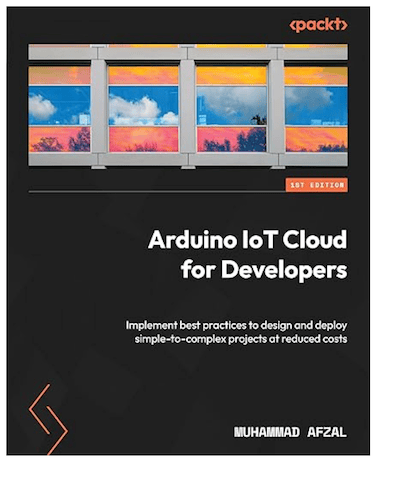 Arduino IoT Cloud for Developers: Implement best practices to design and deploy simple-to-complex projects at reduced costs
Master the essential concepts of the Internet of Things (IoT) and build intelligent connected applications using the Arduino IoT Cloud, Arduino and ESP32 development boards, Amazon Alexa Voice Assistant, and MQTT—all through practical, hands-on projects.
Key Features
- Learn the Arduino IoT Cloud from the ground up with step-by-step, hands-on projects
- Develop a solid understanding of IoT application design, from fundamental concepts to advanced cloud integration
- Explore the Arduino IoT Cloud's features and capabilities for rapid prototyping and commercial IoT deployments
- Includes a complimentary PDF eBook with every print or Kindle purchase
Book Description
The Arduino IoT Cloud provides a powerful and accessible platform for developing connected devices while significantly reducing the time and cost required for prototyping, deployment, and maintenance. Whether you are a hobbyist, student, or professional developer, this practical guide takes you step by step through the complete Arduino IoT Cloud ecosystem.
Beginning with the fundamentals of IoT and cloud-connected devices, the book gradually introduces more advanced concepts through real-world projects using Arduino and ESP32 hardware. Along the way, you will learn how to connect devices to the cloud, monitor and control hardware remotely, integrate voice control with Amazon Alexa, and communicate efficiently using the MQTT protocol. By the end of the book, you will have the knowledge and practical experience needed to design, prototype, and deploy reliable IoT applications for both personal and commercial projects. More information...
Why Teensy Is One of the Best Microcontrollers for CAN Bus Applications
When engineers begin working with Controller Area Network (CAN) systems, one of the first questions is usually, "Which microcontroller should I use?" The answer depends on the application, but one platform consistently stands out for its combination of performance, flexibility, and ease of development: Teensy. Originally developed by PJRC, the Teensy family has earned an excellent [...]
ESP32-S3 MicroPython Programming for CAN Bus and NMEA 2000
The embedded systems world has traditionally been dominated by C and C++, but over the past several years another language has been gaining remarkable momentum: Python. More specifically, MicroPython has become one of the most attractive development environments for engineers who want to prototype and deploy embedded applications quickly without sacrificing access to the underlying [...]
Discover the Basics of the Raspberry Pi Along with Projects
The Raspberry Pi Starter Kit includes the Raspberry Pi 4 8GB Model B with a 1.5GHz 64-bit quad-core CPU and 8GB of RAM. The case is equipped with a super quiet 40mm PWM fan and four heat sinks to ensure good heat dissipation for the Raspberry Pi. Additionally, it comes with a 5V 3.6A Type [...]
CANFDuino: Upgrading the Hardware to 24 VDC Power Supply
Today, we are addressing a frequently asked question since the product's launch: 'Is it possible to power CANFDuino off of 12 or 24 V power?'. Our previous response, 'Yes, using the prototyping space to add a regulator', while accurate, may not have been as helpful as we intended. To provide a more practical solution, we [...]
ESP32 Programming - Classical CAN to Bluetooth Gateway
In this post, I will present a CAN to Bluetooth gateway based on the ESP32 processor. The above image shows my test setup using our ESP32 WiFi, Bluetooth Classic, BLE, CAN Bus Module, a CAN-Bus Hub With 7 Ports And DC Power Connection, and the PCAN-USB Pro. As its description implies, the ESP32 module provides all necessary [...]
Discover IoT Development with ESP32 to Create Smart Devices
The ESP32 is a low-cost, low-power SoC (System on Chip) microcontroller with integrated WiFi and dual-mode Bluetooth. It has shipped over 100 million units as of 2018 and powers many WiFi devices on the market. This book supplies end-to-end coverage of building an IoT system from the ground up to secure data communication techniques from [...]
Automotive Development Module has CAN FD, LIN, Ethernet Port
Renesas has launched a software development board featuring the R-Car S4 System-on-Chip (SoC). The scope of delivery includes the Whitebox SDK open-source software. The R-Car S4 facilitates the launch of Car Server/CoGW with high performance, high-speed networking, high security, and high functional safety levels required as E/E architectures grow into domains and zones. The R-Car S4 solution [...]
Arduino Uno R4 Combines CAN Bus Port with IoT Capabilities
The Arduino UNO R4 WiFi combines the RA4M1 microprocessor from Renesas with the ESP32-S3 from Espressif, forming an all-in-one tool for engineers with improved processing power and a diverse array of new peripherals. With built-in Wi-Fi and Bluetooth abilities, the UNO R4 WiFi allows makers to launch into unlimited innovative opportunities. Likewise, this universal board boasts a [...]
Arduino-Compatible Microsoft Azure Certified IoT Development Kit with Visual Studio Code Support
This Microsoft Azure Certified IoT DevKit (IOT-AZ3166) is an all-in-one kit optimized for prototyping and developing Internet of Things (IoT) applications leveraging Microsoft Azure services. It supplies an Arduino-compatible board with multiple peripherals such as an OLED display, sensors, hardware debugging chip (ST-Link), and security chip. The project collection offers creative examples for learning and reference, plus [...]