 Loading... Please wait...

Blog
Recent Posts
Programming PiCAN Boards with Python: A Practical Guide for Raspberry Pi CAN Applications
Posted by on
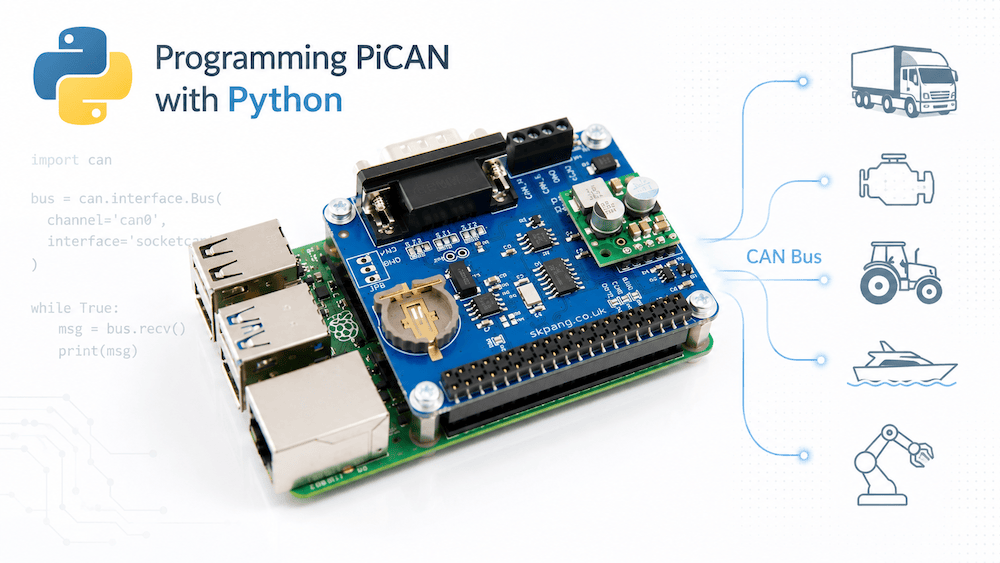 The Raspberry Pi has become one of the most popular platforms for developing CAN bus applications. Whether you are working with industrial equipment, agricultural machinery, marine electronics, automotive systems, or SAE J1939 networks, combining a Raspberry Pi with a PiCAN board provides a powerful and cost-effective development platform.
One of the biggest advantages of this setup is the ability to write CAN applications in Python. Python's simplicity, extensive library ecosystem, and rapid development capabilities make it an excellent choice for CAN bus monitoring, data logging, diagnostics, gateways, and IoT applications.
In this article, we will explore how to program PiCAN boards using Python and the SocketCAN interface available on Linux-based systems.
What Is a PiCAN Board?
PiCAN boards are CAN bus interface boards designed specifically for the Raspberry Pi. They typically connect directly to the Raspberry Pi's GPIO header and provide one or more CAN interfaces.
Popular PiCAN models include:
- PiCAN2 (Classical CAN)...
- PiCAN3 (Classical CAN with optional RTC)...
- PiCAN-M (Marine/NMEA 2000 support)...
- PiCAN FD (CAN FD support)...
Most PiCAN boards are based on the Microchip MCP2515 CAN controller for Classical CAN or the MCP2517FD/MCP2518FD controllers for CAN FD applications.
Once installed and configured, the board appears as a standard Linux CAN network interface.
For example:
can0or
can1This allows applications to use the standard SocketCAN API.
Why Use Python?
Python offers several advantages for CAN development:
- Fast development time
- Excellent readability
- Large selection of libraries
- Easy integration with databases and cloud services
- Ideal for prototyping and production systems alike
Typical applications include:
- CAN bus monitoring
- SAE J1939 data collection
- Data logging
- CAN-to-MQTT gateways
- Fleet management systems
- Predictive maintenance
- CAN protocol testing
- Industrial automation
Preparing the Raspberry Pi
Before writing Python code, the PiCAN board must be configured.
After enabling the PiCAN driver and rebooting, verify the interface:
ifconfigor
ip link showYou should see:
can0Configure the CAN interface:
sudo ip link set can0 up type can bitrate 250000Verify operation:
ip -details link show can0If everything is working correctly, the interface is ready for Python applications.
Installing the Python CAN Library
The most widely used Python CAN library is:
python-canInstallation is simple:
pip install python-canVerify installation:
python -c "import can"If no errors appear, the library is ready.
Receiving CAN Messages
The following example continuously listens for CAN messages.
import can

bus = can.interface.Bus(
    channel='can0',
    interface='socketcan'
)

while True:
    message = bus.recv()

    if message:
        print(message)
Typical output:
Timestamp: 1749068205.123456
ID: 18F00400
DLC: 8
Data: FF FF FF FF FF FF FF FF
This creates a simple CAN bus monitor using only a few lines of code.
Sending CAN Messages
Transmitting messages is equally straightforward.
import can

bus = can.interface.Bus(
    channel='can0',
    interface='socketcan'
)

msg = can.Message(
    arbitration_id=0x123,
    data=[1,2,3,4,5,6,7,8],
    is_extended_id=False
)

bus.send(msg)

print("Message sent")
The message immediately appears on the CAN bus.
Working with Extended CAN Identifiers
Many industrial protocols use 29-bit identifiers.
Examples include:
- SAE J1939
- NMEA 2000
- ISOBUS
Sending an extended frame:
msg = can.Message(
    arbitration_id=0x18F00400,
    data=[0,0,0,0,0,0,0,0],
    is_extended_id=True
)

bus.send(msg)
The key parameter is:
is_extended_id=TrueWithout it, the message would be transmitted as an 11-bit identifier.
Message Filtering
Instead of processing every message, you can filter for specific identifiers.
Example:
filters = [
    {"can_id": 0x18F00400,
     "can_mask": 0x1FFFFFFF,
     "extended": True}
]

bus.set_filters(filters)
Now only matching messages are received.
This dramatically reduces CPU load on busy networks.
Logging CAN Traffic
One common application is data logging.
import can

bus = can.interface.Bus(
    channel='can0',
    interface='socketcan'
)

logfile = open("canlog.txt", "w")

while True:
    msg = bus.recv()

    if msg:
        logfile.write(str(msg) + "\n")
        logfile.flush()
This creates a simple CAN recorder.
For production systems, consider storing data in:
- SQLite
- PostgreSQL
- InfluxDB
- MySQL
Decoding SAE J1939 Messages
Many PiCAN users work with heavy-duty vehicles and industrial equipment.
A J1939 identifier contains:
- Priority
- PGN
- Source Address
Example:
can_id = 0x18F00400

pgn = (can_id >> 8) & 0x3FFFF

print(hex(pgn))
Output:
0xF004PGN 61444 represents:
Electronic Engine Controller 1 (EEC1)which contains Engine Speed.
Using Python, developers can quickly build custom J1939 monitors, gateways, and diagnostic tools.
Building a CAN-to-MQTT Gateway
Python excels at IoT applications.
A common architecture is:
Vehicle CAN Bus
        │
     PiCAN
        │
 Raspberry Pi
        │
     Python
        │
      MQTT
        │
 Cloud Server
Applications include:
- Remote diagnostics
- Fleet management
- Predictive maintenance
- Equipment monitoring
Python libraries such as:
python-can
paho-mqtt
make implementation relatively straightforward.
Multithreaded CAN Applications
Production applications often separate:
- Message reception
- Data processing
- Database storage
- Network communication
Python's threading module can help:
import threadingThis prevents CAN reception from being blocked by slower tasks such as database writes or cloud communication.
CAN FD Considerations
If you are using a PiCAN FD board, additional configuration may be required.
Example:
sudo ip link set can0 up \
type can bitrate 500000 \
dbitrate 2000000 fd on
Python-CAN supports CAN FD frames through additional message parameters.
Example:
msg = can.Message(
    arbitration_id=0x123,
    data=bytes(range(32)),
    is_fd=True
)
This enables payloads larger than the traditional 8-byte CAN frame.
Debugging Tools
Useful Linux tools include:
Receive messages:
candump can0Send messages:
cansend can0 123#1122334455667788Monitor interface statistics:
ip -details -statistics link show can0These tools are invaluable when troubleshooting hardware and software issues.
Performance Expectations
The Raspberry Pi can handle surprisingly heavy CAN workloads.
Typical applications include:
- Thousands of messages per second
- Real-time monitoring
- Protocol gateways
- Data logging
- Cloud connectivity
However, developers should remember that Linux is not a hard real-time operating system.
For deterministic timing requirements, a microcontroller-based solution may be more appropriate.
Conclusion
Combining a Raspberry Pi, a PiCAN board, and Python provides one of the fastest and most flexible ways to develop CAN bus applications. Thanks to Linux SocketCAN and the Python-CAN library, developers can build sophisticated CAN monitoring, logging, diagnostics, gateway, and IoT solutions with relatively little code.
Whether you are working with SAE J1939, NMEA 2000, ISOBUS, industrial CAN systems, or proprietary protocols, Python on a Raspberry Pi offers an excellent platform for experimentation, prototyping, and even deployment-grade applications.
The combination of low hardware cost, extensive software support, and rapid development capabilities explains why Raspberry Pi and PiCAN boards have become a favorite platform among CAN bus developers worldwide.
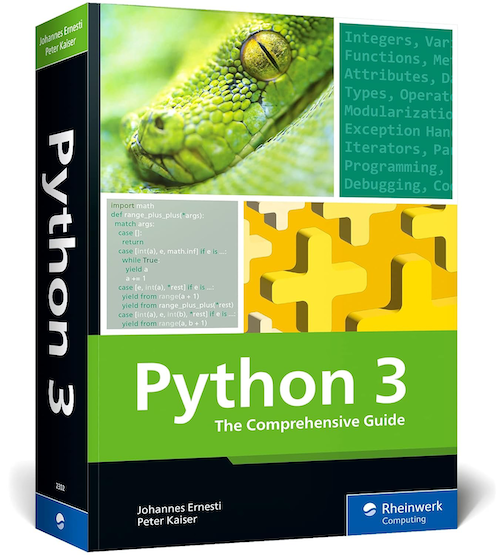 Python 3: The Comprehensive Guide to Hands-On Python Programming
Master Python with this comprehensive guide for both beginners and experienced programmers. Learn the fundamentals of Python 3, including functions, modules, object-oriented programming, and data types, then progress to advanced topics such as GUI development, networking, Django, debugging, and optimization. Packed with practical examples and downloadable source code, this hands-on reference provides everything you need to build professional Python applications.
Highlights
- Complete coverage of Python 3 fundamentals
- Functions, classes, modules, and data structures
- Practical use of Python’s Standard Library
- Advanced topics including GUIs, networking, Django, and scientific computing
- Downloadable code examples for hands-on learning
Whether you're writing your first script or developing complex applications, this guide will help you become a confident Python programmer. More information...
Python Code Example for CANgineBerry’s CANopen Manager
Embedded Systems Academy has released a new software update for the CANgineBerry. This update includes a Python example designed to streamline network management for developers using Linux, Windows, and macOS. The example utilizes the provided CANopen Manager firmware to visualize and efficiently manage devices on a CANopen network. The CANgineBerry goes beyond basic CAN interfaces by handling [...]
Advanced IoT Programming Using The Raspberry Pi 4 And Python 3
Python is an interpreted, object-oriented, high-level programming language with dynamic semantics. Its high-level built-in data structures, combined with dynamic typing and dynamic binding, made it very attractive for Rapid Application Development. It is used as a scripting or glue language to connect existing components. Python's simple, easy-to-learn syntax emphasizes readability and therefore reduces the cost of [...]
Sensor Networks with XBee, Raspberry Pi, and Arduino: Sensing the World with Python and MicroPython
This book explains how to build sensor networks with Python and MicroPython using XBee radio modules, Raspberry Pi, and Arduino boards. This revised and updated edition will put all of these technologies together to form a sensor network and show you how to turn your Raspberry Pi into a MySQL database server to save sensor data. The reader [...]
Raspberry Pi 4 Step-By-Step Guides To Innovative Linux Projects
RASPBERRY PI 4 COMPLETE MANUAL: A Step-by-Step Guide to the New Raspberry Pi 4 and Set Up Innovative ProjectsThe Raspberry Pi 4 can accomplish a remarkable variety of embedded applications. Amateur technology enthusiasts use Raspberry Pi boards as media centers, file servers, retro games consoles, routers, and network-level ad-blockers, for starters. However, that is just [...]
USB-to-CAN Gateway With Isolated CAN Bus Port Supports Programming In C, C#, Python
IXXAT, a subsidiary of HMS Networks, has introduced their USB-to-CAN adapter called SimplyCAN, which allows the diagnosis, configuration, and commissioning of devices and systems operating in a CAN Bus network via an API without the need for driver installation.The CAN Bus gateway is suitable for mobile and stationary use. The CAN Bus port is galvanically isolated and accessible [...]
PICAN2 - Raspberry Pi CAN Bus HAT Supports SocketCAN and Python Programming
The PICAN2 board provides Controller Area Network (CAN) Bus capabilities for the Raspberry Pi. It uses the Microchip MCP2515 CAN controller with MCP2551 CAN transceiver. The CAN Bus connection is via DB9 or 3-way screw terminal. The board is also available with a 5 VDC 1 Amp SMPS (Switch Mode Power Supply) that can power the Raspberry Pi via [...]
Thermocouple Measurement HAT Adds Industrial Temperature Measurement To The Raspberry Pi Platform
Measurement Computing Corporation has announced the release of their MCC 134 thermocouple measurement HAT for Raspberry Pi. The MCC 134 brings industrial temperature measurement capabilities to the vastly popular Raspberry Pi platform. The device comes with four thermocouples (TC) inputs capable of measuring popular TC types, such as J, K, R, S, T, N, E, and B. [...]
Python Hands-On Guide For Writing Effective And Idiomatic Code
Python’s ease-of-use supports every engineer to become productive instantly, but this usually implies that they are not using all the features it has to offer. With this hands-on guide, you discover how to write robust, idiomatic Python code by leveraging its best, and probably most overlooked features. Author Luciano Ramalho takes the reader through Python’s core language features [...]
Use Powerful Python Libraries To Implement Machine Learning And Deep Learning
Machine learning is starting to dominate the software world, and now deep learning is reaching machine learning. Experience and perform at the cutting edge of machine learning, neural networks, and deep learning with this second edition of Sebastian Raschka's bestselling book, Python Machine Learning. Thoroughly updated using the latest Python open source libraries, this book offers useful [...]