Loading... Please wait...



)

Product Description
Free Shipping Within the United States!
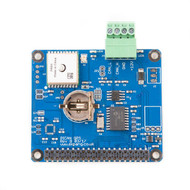
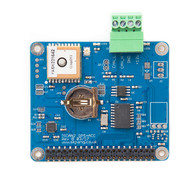
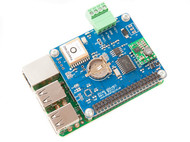
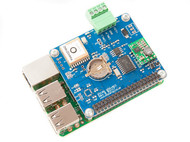
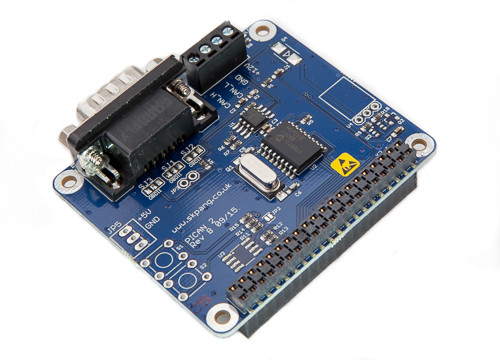
The PiCAN2 extends your Raspberry Pi with full CAN‑Bus functionality by integrating the Microchip MCP2515 controller and MCP2551 transceiver. It supports CAN 2.0 A/B at speeds up to 1 Mb/s over a high‑speed 10 MHz SPI interface, enabling both standard and extended data and remote frame transmission.
Connections are versatile, offering either a DB9 port or a screw‑terminal block for interfacing with OBD‑II and SAE J1939 systems. Installation is streamlined thanks to a SocketCAN driver that appears as a
can0 network device in Linux, and users can leverage both C and Python for CAN‑Bus application development.The board complies with the Raspberry Pi HAT standard through its four mounting holes and integrates a 120 Ω termination resistor along with an interrupt output on GPIO25, making setup and deployment straightforward and reliable.
Fully compatible with Raspberry Pi 4 and 5, the PiCAN2 is a compact yet powerful solution for hobbyists, engineers, or anyone seeking to turn a Raspberry Pi into a CAN‑Bus node.
Raspberry Pi 4/5 Compatibility
The PiCAN board is fully compatible with the new Raspberry Pi 4 & 5.
Features
- CAN 2.0 A/B (ISO 11898) at up to 1 Mb/s
- High speed SPI Interface (10 MHz)
- Standard and extended data and remote frames
- CAN Bus connection via standard 9-way sub-D connector or screw terminal
- Compatible with OBDII and SAE J1939
- Solder bridge to set different configuration for DB9 connector
- 120 Ohm termination resistor
- Four fixing holes, in compliance with Pi HAT standard
- SocketCAN driver, appears as can0 to application
- Interrupt RX on GPIO25
Installing CAN and Python Tools
Documents
- User guide (PDF)...
- Schematic Rev B...
- Python3 examples in Github...
- Example 2...
- Example 3...
- Troubleshooting your PiCAN2 CAN Interface Board for Raspberry Pi...
- PiCAN2 CAN Bus Board for Raspberry Pi - Functionality Test...
- Raspberry Pi PICAN2 Functionality Test With Two PICAN2 HATs...
Download the CAN Test Programs
Please click here to Download the CAN Test Programs. The link in the user manual does not work, but the documentation is being updated.
Connections (Pins) Used On 40-Pin Header
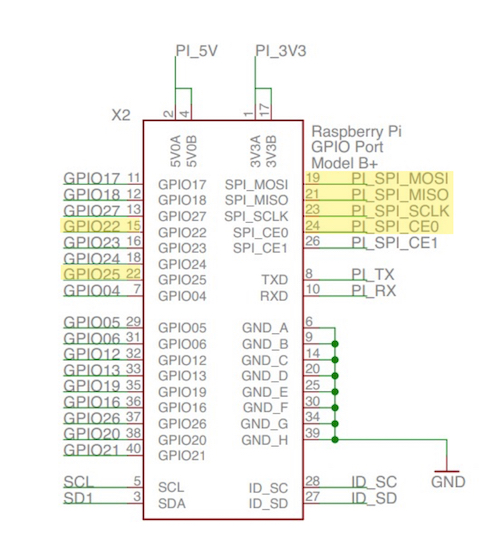
The PiCAN2 CAN Bus interface board uses the highlighted pins on the Raspberry Pi's 40-pin header.
Recommended Literature:
- Programming the Raspberry Pi, Second Edition: Getting Started with Python...
- Raspberry Pi User Guide...
- Raspberry Pi Projects for the Evil Genius...
Other Resources:
- What is Debian Jessie?...
- Raspberry Pi Proven To Withstand Extended Temperature Range...
- SAE J1939 ECU Simulator and Data Monitor for Raspberry Pi...
- PiCAN2 OBDII data logging for the Raspberry Pi...
- The Raspberry Pi SPI Interface...
- Monitoring SAE J1939 Data Using The Raspberry Pi Plus PiCAN2 CAN Bus Interface Board...
- OBD-II Data Logging With Raspberry Pi And PiCAN2 CAN Bus Interface...
Cables:
- OBD2 16Pin to DB9 Adapter Cable - Use Board Settings for OBD-II
- SAE J1939 9pin Cable to DB9 Female - Use Board Settings for Standard CAN
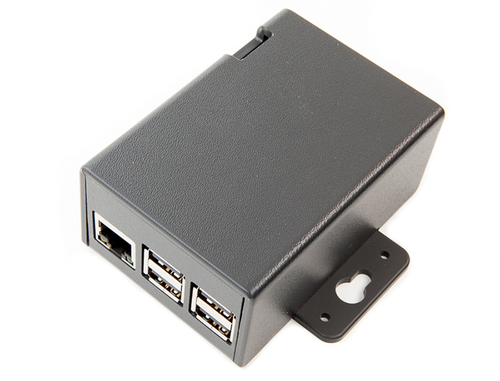 Plastic Enclosure for PiCAN2 and Raspberry Pi 2/3
This is a two part clip together plastic enclosure for use with the PiCAN2 board and the Raspberry Pi 2/3. The enclosure is made from High Impact Polystyrene HIPS UL94-HB material. Mounting flanges allow for wall mounting.
More Information...
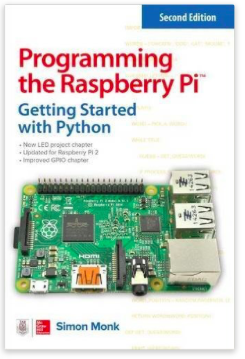
Programming the Raspberry Pi - Getting Started with Python
Learn to create innovative programs and fun games on your powerful Raspberry Pi computer with practically no programming expertise required. This useful book has been updated to fully cover the newest Raspberry Pi, including upgrades to the Raspbian operating system.
Explore how to configure hardware and software, write Python scripts, build user-friendly GUIs, and control external electronics. DIY projects include a hangman game, RGB LED controller, digital clock, and RasPiRobot complete with an ultrasonic rangefinder.
- Set up your Raspberry Pi and explore its features
- Navigate files, folders, and menus
- Write Python programs using the IDLE editor
- Use strings, lists, functions, and dictionaries
- Work with modules, classes, and methods
- Create user-friendly games using Pygame
- Build intuitive user interfaces with Tkinter
- Attach external electronics through the GPIO port
- Add powerful Web features to your projects
Product Videos
PiCAN2 CAN-Bus OBDII Data Logger for Raspberry Pi 02:14
This video is a demo of PiCAN2 OBDII data logger for the Raspberry Pi. More info and python code on this project http://www.skptechnology.co.uk/pican2-obdii-data-logger-for-raspberry-pi/
-
 PiCAN2 CAN-Bus...This video is a demo of PiCAN2 OBDII data logger for the Raspb...
 -
 Canbus hacking...www.moderndaymods.com - for text version video showing initia...