 Loading... Please wait...

Blog
Recent Posts
How to Build a CAN Bus Prototype Before Designing Your PCB
Posted by on
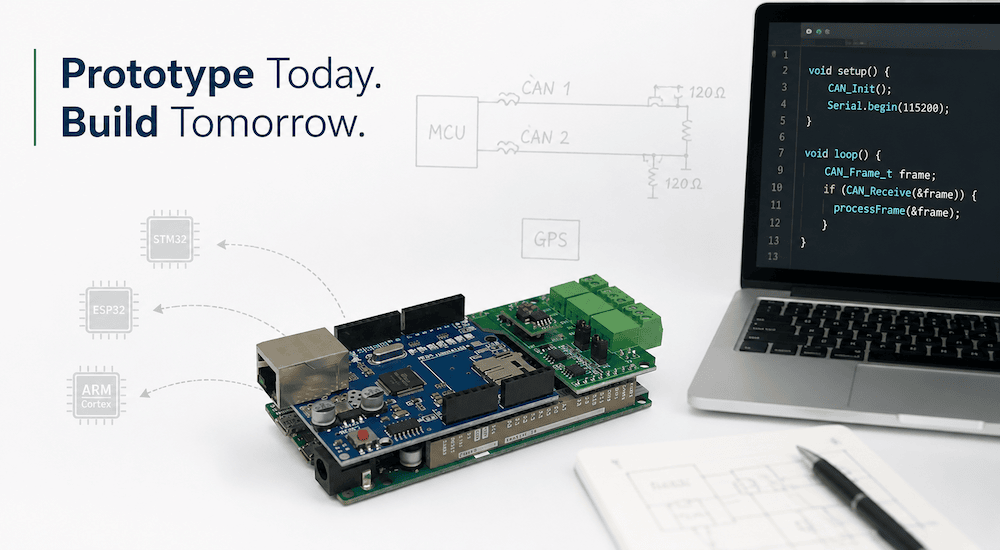 Modern embedded systems rarely begin with a custom PCB. In fact, the fastest and often the most successful development projects start on inexpensive development hardware that allows engineers to validate concepts, write firmware, and test communication long before the first schematic is finalized.
When developing CAN Bus and SAE J1939 applications, I have found that the best investment is not an expensive evaluation platform but a flexible prototype system that lets me move from an idea to a working application within hours. Over the years, one platform has become my preferred proof-of-concept hardware: the Arduino Due–based ECU Development Board with Dual CAN Bus Interface.
This approach has dramatically reduced development time while producing software that can later be migrated to virtually any embedded platform with surprisingly little effort.
Why Prototype Before Designing Hardware?
Designing a custom PCB too early often creates unnecessary risk.
Once hardware has been designed, manufactured, assembled, and tested, changes become expensive. A single overlooked requirement may require another PCB revision, adding weeks to a project schedule.
By contrast, firmware running on a flexible prototype platform allows developers to answer important questions immediately:
-
Does the communication concept work?
-
Is the selected protocol appropriate?
-
Can the processor handle the required message rates?
-
How much memory is actually needed?
-
Are timing requirements realistic?
-
How should diagnostics be implemented?
Finding these answers before the PCB exists significantly lowers development costs.
For CAN Bus applications, the benefits are even greater because communication behavior can be validated using real networks instead of simulations.
Why I Prefer the Arduino Due Platform
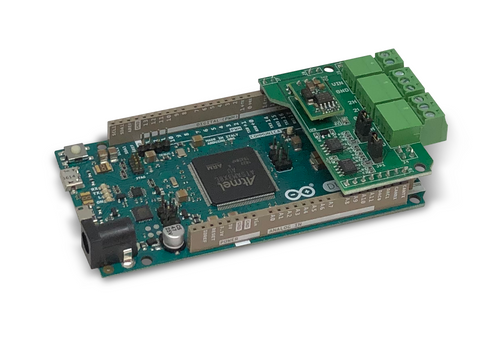 Many engineers associate Arduino with education or hobby projects. That perception overlooks one important fact: the Arduino ecosystem is one of the fastest embedded development environments available.
The Arduino Due offers several advantages for rapid CAN Bus development:
-
32-bit ARM Cortex-M3 processor
-
Excellent C/C++ development environment
-
Fast compile-download-debug cycle
-
Mature software libraries
-
Large development community
-
Low hardware cost
-
Immediate access to GPIO, timers, serial ports, SPI, I²C, USB, and CAN
Combined with a dual CAN Bus interface, the platform becomes a powerful development system for automotive and industrial networking applications.
Instead of spending weeks bringing up new hardware, developers can begin writing application software immediately.
Real Projects Built on the Prototype Platform
Over the years, this development board has been the starting point for numerous commercial and experimental CAN Bus projects, including:
-
SAE J1939 data traffic simulator
-
SAE J1939 baud-rate converter
-
GPS-based telematics application
-
SAE J1939 data logger
-
CAN Bus bridge
-
CAN protocol analyzers
-
Network monitoring tools
-
Gateway applications
-
Diagnostic utilities
Many of these projects eventually migrated to dedicated embedded hardware while retaining the vast majority of the original firmware.
That demonstrates one of the greatest strengths of a well-structured software architecture.
Write Portable Software from Day One
One mistake frequently seen in embedded software is tightly coupling application logic to the underlying hardware.
For example, application code directly accesses CAN controller registers, GPIO peripherals, timers, or interrupt routines throughout the project.
While this may work on the first platform, migrating to different hardware later often becomes a major undertaking.
Instead, I strongly recommend separating hardware-dependent code from the application itself.
The application should never care whether it is running on an Arduino Due, an STM32, an ESP32, or another ARM Cortex processor.
It should simply request services from a hardware abstraction layer.
The Hardware Abstraction Layer
In my CAN Bus projects, hardware-specific functionality is isolated into a dedicated module.
Typical hardware-dependent functions include:
-
CAN initialization
-
CAN transmit
-
CAN receive
-
Timer services
-
Serial communication
-
Digital I/O
-
LED control
-
Delay functions
Everything else remains hardware independent.
The application communicates only through clearly defined functions.
When migrating to another processor, only these hardware interface functions need to be rewritten.
The application logic itself remains unchanged.
CAN Bus Is Usually the Only Major Difference
For most CAN Bus applications, the largest hardware dependency is the CAN controller.
Every processor family provides its own CAN driver:
-
Arduino Due
-
STM32
-
ESP32 TWAI
-
NXP LPC
-
Microchip SAM devices
-
External CAN controllers via SPI
Although the APIs differ, they all perform the same fundamental operations:
-
Initialize the controller
-
Configure bit timing
-
Transmit a CAN frame
-
Receive a CAN frame
-
Report status and errors
Once these functions are wrapped inside a hardware abstraction layer, moving the application to new hardware becomes surprisingly straightforward.
In many projects, replacing only a handful of low-level function calls is sufficient to bring the application to life on a completely different processor.
One Code Base, Multiple Platforms
This methodology has allowed the same application software to be reused across multiple hardware platforms.
Projects originally developed on the Arduino Due have later been migrated to:
-
ARM Cortex-based custom hardware
-
STM32 microcontrollers
-
ESP32 systems
-
Other embedded processor families
The communication protocol, application logic, diagnostics, and network behavior remain identical.
Only the low-level hardware interface changes.
This significantly reduces development time while improving software reliability because the application has already been thoroughly tested.
Faster Iteration Means Better Products
Rapid prototyping also changes the development process itself.
Instead of spending weeks waiting for hardware revisions, engineers can immediately test new ideas:
-
Add another PGN
-
Implement a new gateway function
-
Modify timing
-
Test different baud rates
-
Connect GPS receivers
-
Experiment with network routing
-
Evaluate different filtering strategies
Each iteration may take minutes rather than days.
This encourages experimentation and often leads to better technical solutions.
Low Cost Encourages Innovation
Another often overlooked advantage is cost.
Prototype hardware based on the Arduino Due is inexpensive enough that multiple systems can be kept on the workbench simultaneously.
One board may act as a simulator.
Another may emulate an ECU.
A third may operate as a gateway or logger.
This creates a complete CAN Bus test environment without requiring expensive laboratory equipment.
The result is a flexible development platform that supports rapid experimentation throughout the entire design process.
From Prototype to Production
Some engineers worry that starting with Arduino will somehow limit the final product.
In practice, the opposite is often true.
The prototype validates the software architecture, communication strategy, and application behavior long before production hardware exists.
When the custom PCB finally arrives, the firmware is already mature.
Development then shifts from creating software to adapting the hardware interface, dramatically reducing project risk and shortening time to market.
Conclusion
Rapid prototyping is not about building the final product on development hardware. It is about proving ideas quickly, refining software early, and eliminating unnecessary design risk.
For CAN Bus and SAE J1939 development, the Arduino Due–based ECU Development Board with Dual CAN Bus Interface has consistently proven to be an exceptionally productive platform. It combines low cost, fast development, and powerful hardware with the flexibility needed for professional embedded system design.
By keeping hardware-specific functionality isolated behind a clean abstraction layer, developers can build portable C/C++ applications that move easily from prototype hardware to production systems based on STM32, ESP32, ARM Cortex, and many other processors. In my experience, this methodology turns projects that once required months into prototypes that can often be demonstrated within hours or a few days, allowing engineering teams to focus on innovation instead of repeatedly solving the same low-level hardware challenges.
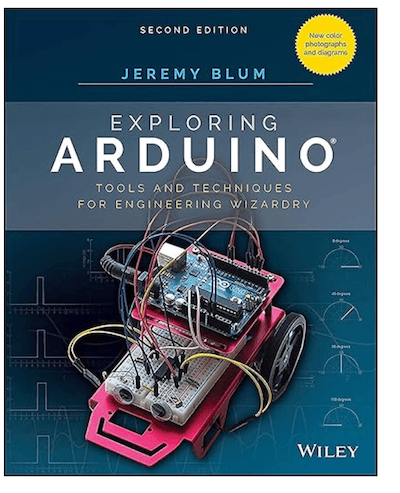 Exploring Arduino: Tools and Techniques for Engineering Wizardry
Exploring Arduino makes electrical engineering and embedded software development accessible to everyone. Whether you're a complete beginner or an experienced maker, you'll learn the fundamentals of electronics, programming, and human-computer interaction through a carefully structured series of increasingly sophisticated projects.
Arduino expert Jeremy Blum guides you through each project with clear explanations, practical schematics, and reusable code examples that you can apply to your own designs. Every project includes downloadable source code, helpful tips, and companion video tutorials, making it easy to build confidence as your skills grow.
What's New in the Second Edition
The fully updated second edition reflects the rapidly evolving Arduino ecosystem and includes:
-
Updated coverage of the latest Arduino hardware and software
-
New full-color illustrations and schematics for improved clarity
-
Expanded discussions of servo motors and stepper motors
-
Deeper technical explanations behind key concepts
-
Enhanced coverage of wireless communication and Internet of Things (IoT) applications
-
Guidance for selecting the right Arduino board for your specific project
What You'll Learn
-
Master the fundamentals of electrical engineering and embedded programming
-
Build Arduino projects that communicate wirelessly with other devices
-
Understand how modern Arduino boards compare and when to use each one
-
Access downloadable source code and supporting materials for every project
-
Develop practical skills you can apply to your own embedded systems
Whether you're taking your first steps into electronics or looking for a rapid prototyping platform for more advanced embedded applications, Arduino provides an affordable, flexible, and powerful development environment. Exploring Arduino serves as both a hands-on introduction and a long-term reference, guiding you from simple experiments to sophisticated real-world projects with confidence. More information...