 Loading... Please wait...

Blog
Recent Posts
CAN Bus Troubleshooting with the PiCAN HATs: Why the Board Is Probably Not the Problem
Posted by on
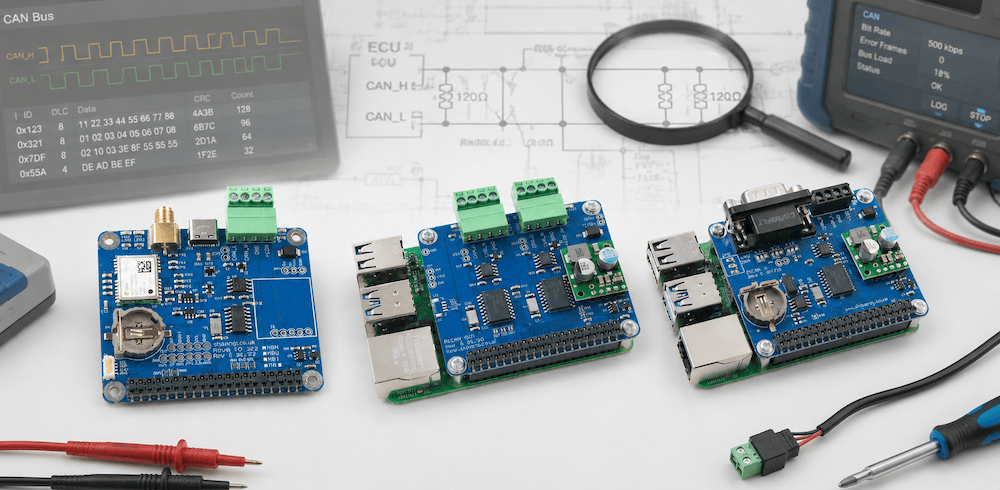 The PiCAN product line has become the go-to CAN Bus interface solution for Raspberry Pi developers, system integrators, educators, and industrial engineers worldwide. From entry-level CAN Bus connectivity to advanced dual-channel CAN, CAN FD, GPS/GNSS integration, RS232, RS485, and real-time industrial networking, PiCAN boards combine robust hardware design with seamless Raspberry Pi integration. Whether you are developing automotive diagnostics, industrial control systems, marine electronics, fleet management solutions, or embedded IoT applications, the PiCAN family provides reliable, field-proven connectivity backed by extensive software support and a large global user community. Designed for professional applications yet accessible to hobbyists and researchers, PiCAN products deliver the flexibility, performance, and dependability needed to bring CAN Bus projects from concept to deployment.
One of the most common support requests we receive begins with the assumption that the PiCAN board is defective. In reality, after many years of supporting CAN bus applications, we have learned that almost every communication issue originates outside the PiCAN board itself. Incorrect termination, wiring mistakes, missing grounds, bit-rate mismatches, and connector problems account for the overwhelming majority of CAN bus failures. Before suspecting the hardware, it pays to understand how a CAN network actually works.
Step 1: Verify the CAN Interface Is Running
The first step is to make sure the CAN controller has been configured correctly.
For SocketCAN systems, you can verify operation using:
ifconfig can0or
ip -details link show can0A properly configured interface should show:
can0: UPIf the interface is down, no CAN communication can occur regardless of the wiring.
Step 2: Check the CAN Bus Bit Rate
One of the most common mistakes is a bit-rate mismatch.
CAN is not like Ethernet where devices automatically negotiate speeds.
Every node on the network must use exactly the same bit rate.
Common bit rates include:
|
Bit Rate |
Typical Application |
|---|---|
|
125 kbps |
Industrial automation |
|
250 kbps |
SAE J1939 |
|
500 kbps |
Industrial and automotive |
|
1 Mbps |
High-speed CAN |
If one node is operating at 250 kbps and another at 500 kbps, communication is impossible.
The CAN controller will see activity on the bus but will interpret it as errors.
Always verify the bit rate of every device connected to the network.
Step 3: Understand CAN Bus Termination
If CAN troubleshooting had a Hall of Fame, missing termination resistors would be the undisputed champion.
A CAN network requires two termination resistors.
Each resistor has a value of:
120 OhmsOne resistor is installed at each physical end of the network.
The result is a measured resistance between CAN_H and CAN_L of approximately:
60 Ohmswhen power is removed from the network.
The CAN bus should look like this:
120Ω                    120Ω
|                        |
Node ---- Node ---- Node ---- Node
Not this:
120Ω
|
Node ---- Node ---- Node ---- Node
And definitely not this:
Node ---- Node ---- Node ---- NodeWithout proper termination, signal reflections occur, causing corrupted messages, intermittent communication failures, and endless frustration.
Step 4: Using the PiCAN J1 Termination Jumper
Most PiCAN boards include jumper J1.
This jumper enables the onboard 120-Ohm termination resistor.
The purpose of J1 is to simplify development and testing.
When J1 is installed:
Termination EnabledWhen J1 is removed:
Termination DisabledWhether J1 should be installed depends entirely on the physical location of the PiCAN board within the CAN network.
PiCAN at the End of the Network
If the Raspberry Pi with the PiCAN board is physically located at one end of the bus:
PiCAN ---- Node ---- Node ---- 120Ω
 ^
 J1 Enabled
J1 should be installed.
PiCAN in the Middle of the Network
If the PiCAN board is somewhere in the middle:
120Ω ---- Node ---- PiCAN ---- Node ---- 120Ω
                     ^
                J1 Disabled
J1 must be removed.
Installing extra termination resistors is just as problematic as having too few.
Step 5: Measure the Bus Resistance
A simple multimeter can solve many CAN mysteries.
Turn off power to the network.
Measure resistance between:
CAN_H and CAN_LExpected readings:
|
Resistance |
Meaning |
|---|---|
|
~60 Ohms |
Correct termination |
|
~120 Ohms |
Missing one terminator |
|
Infinite |
No termination or broken wiring |
|
~40 Ohms |
Too many terminators |
|
Very low resistance |
Wiring fault or short circuit |
This single measurement can often identify the problem in less than 30 seconds.
Step 6: Verify CAN_H and CAN_L Wiring
It sounds obvious, but it happens more often than you might think.
Check that:
CAN_H → CAN_H
CAN_L → CAN_L
and not:
CAN_H → CAN_L
CAN_L → CAN_H
Crossed wires will prevent communication entirely.
Some devices label the signals differently:
CANH
CAN-H
H

CANL
CAN-L
L
Always verify the documentation.
Step 7: Check Ground Connections
A CAN bus is designed for differential signaling and is relatively tolerant of noise.
However, devices still need a common reference.
Many CAN communication problems disappear after connecting grounds properly.
A typical connection includes:
CAN_H
CAN_L
GND
Neglecting the ground connection may lead to intermittent operation, especially with longer cable runs.
Step 8: Look for Error Frames
The CAN protocol is exceptionally good at detecting communication problems.
When something is wrong, nodes generate error frames and increment their error counters.
Common causes include:
- Incorrect bit rate
- Missing termination
- Excessive bus length
- Faulty wiring
- Ground problems
The CAN controller is usually trying to tell you something.
Listen to it.
Step 9: Test with a Simple Setup
When troubleshooting becomes complicated, simplify.
Disconnect everything except:
- Raspberry Pi with PiCAN
- One known-good CAN node
- Proper termination at both ends
A two-node network eliminates many variables and often reveals the issue quickly.
The Reality: The PiCAN Board Is Usually Innocent
Engineers often spend hours investigating software settings, drivers, and hardware before discovering:
- A loose connector
- Missing termination
- Incorrect bit rate
- Reversed CAN wires
- Missing ground
The PiCAN series has proven itself in countless applications ranging from industrial automation to vehicle diagnostics and marine systems.
Like any electronic device, hardware failures are theoretically possible.
However, in practice they are exceedingly rare.
When CAN communication fails, the odds overwhelmingly favor an external wiring issue rather than a defective PiCAN board.
In other words:
Before blaming the PiCAN board, grab a multimeter.
The bus is usually trying to tell you exactly what’s wrong.
You just need to listen.
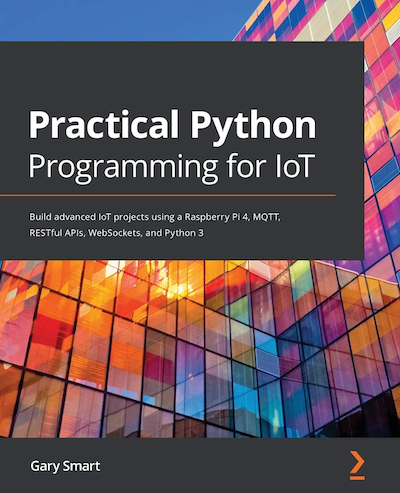 Practical Python Programming for IoT: Build advanced IoT projects using a Raspberry Pi 4, MQTT, RESTful APIs, WebSockets, and Python 3
The Internet of Things (IoT) is transforming the way devices interact, communicate, and automate everyday tasks. Combining the versatility of Python with the power of Raspberry Pi, this practical guide teaches you how to design and build connected systems that bridge the gap between software and hardware. Through hands-on projects and real-world examples, you will learn how sensors, actuators, and cloud services work together to create intelligent IoT applications.
Starting with IoT networking fundamentals, including REST APIs, WebSockets, and MQTT, the book then introduces electronics, GPIO interfacing, and circuit design before moving on to practical projects involving sensors, motors, motion detection, temperature monitoring, and automation. Along the way, you will integrate popular IoT platforms such as ThingSpeak and IFTTT, explore modern Python programming techniques, and develop complete end-to-end IoT solutions. By the end of the book, you will have the skills and confidence to build sophisticated IoT systems using Python and Raspberry Pi. More information...
Physical Diagnostics of CAN Networks – Looking Beyond the Protocol
Most CAN Bus troubleshooting starts with software tools. Engineers connect a CAN analyzer, look at message traffic, verify identifiers, and search for protocol errors. While that approach is certainly useful, it often overlooks the most common source of CAN network problems: the physical layer. The CAN protocol itself is remarkably robust. However, damaged cables, poor connectors, [...]
CAN Bus Troubleshooting: A Technical Guide
The Controller Area Network (CAN Bus) is one of the most robust and widely used communication protocols in automotive, industrial, and embedded systems. Its reliability and fault tolerance make it indispensable—but like any communication network, issues can arise. Troubleshooting CAN Bus problems requires a methodical approach that considers both the physical layer and the protocol [...]
Proper Controller Area Network (CAN) Wiring and Connectors
Controller Area Network (CAN) is a robust, high-integrity serial bus system originally developed by Bosch in the 1980s for automotive applications. Today, CAN is widely used in automotive, industrial, and embedded systems due to its fault tolerance, real-time performance, and reduced wiring complexity. However, the reliability of CAN communication heavily depends on proper wiring practices [...]